You’ve probably seen this scenario before:
You contract a website design company. They make all kinds of promises about how it’ll help your marketing strategy. They talk you through the designs, impressing you with animations, design patterns or 8 pixel grids. They promise it will convert visitors into customers because it’ll just look so awesome.
“This all looks great”, you think, with nagging questions in the back of your head about the tech they’re using. But you hold back. “they must know what’s best”, you reason.
Handover day comes and goes. The site is live. Everything looks good so far.
But then…
Frustrations
A few months go by. One day you notice a plugin needs updating. Should you update it? You’re not sure. You hesitate for a few days, but finally push the button. You breathe a sigh of relief when nothing on the site breaks.
A few more months go by, and you’re getting good at updating plugins. It’s just a simple button …
Until, one day you notice something is broken. was it the plugin you updated yesterday? How do you roll it back?
You compensate, telling your customers it’s a temporary glitch. The web design company are strictly hands off at this point. They tell you they will need to restore your site from a backup, which will involve a fairly hefty fee.
Then one day you notice a different plugin won’t update. It’s the page builder. You need to pay a fee to keep it working. You figure out it’ll really break the site if it stops working.
But you ignore it.
Paying for “plugins”, whatever they are, wasn’t part of your plan. It’s not in your budget. Yet there’s that nagging message at the top of your site telling you it’s likely to be insecure.
This leads to you being frustrated with the design company. They didn’t explain openly about the page builder they used to make your site.
They didn’t mention it would be your responsibility to keep updating it, risking breakages and possibly even hacking attempts.
And they offered you no training in how to do those things.
Where do you go from here?
Some Not So Good alternatives
The alternatives can seem less appealing. You could spend a few months trying to learn how to use Webflow, Wix or Squarespace: walled gardens that lock you in to their proprietary systems with limited design options and steeply increasing fees if you want to add more products or content.
But there is another alternative.
And it’s one that is likely to be much more attractive to small businesses.
Limitations of Design Agencies
The limitations with a lot of design agencies is that they’re all about the design of your site. They’re really not that committed to the quality of the build. So they will use tools that are cheap or free.
They’ll hire someone semiskilled to point and click with a page builder like Elementor or Divi that, when you are trying to update content later, is in a Kafkaesque, labyrinthine system that is challenging to figure out.
Our Solution
We aren’t a design agency at heart. Don’t get us wrong, we design too. But we are a software house. we build things. We have the skills needed to build with different tools, tools that won’t keep you awake at night fearing for the life of your website … and your business.
So what do we use?
- Presentation layer: static (HTML, CSS and JavaScript files)
- CMS (Content Management System): DatoCMS
Categorising your needs into these two groups means there is a clear separation between your presentation layer and your ability to edit your content.
Presentation Layer
A static site is a website in the traditional sense: a collection of files that display your website to the world.
But these files are on a very simple storage system that doesn’t have any computing logic. This means that nobody can hack your site from this presentation part. It doesn’t have “plugins” that need updates. It doesn’t have any insecure code that could destroy your whole website.
In fact, even if your CMS happens to go down (don’t worry, this is not likely to happen, I’m just using it as an example), your site won’t be affected at all.
There are more technical details that you might want to hear about, but we’re not going to explain them here. Just ask if you want to know, or even stand over our shoulders to watch how it happens.
Just so you know, this website you’re on now is built on the same technology. It’s fast. It’s secure. And nothing will break, probably ever.
CMS
Not all websites need a CMS. It depends on how hands on you want to be with your content.
But if you do decide to go with a CMS, we use a variety of solutions to provide the editing experience. We’ve worked with one of our main ones, DatoCMS, based in Italy, for many years and know they’re stable, reliable and their editor is feature-rich.
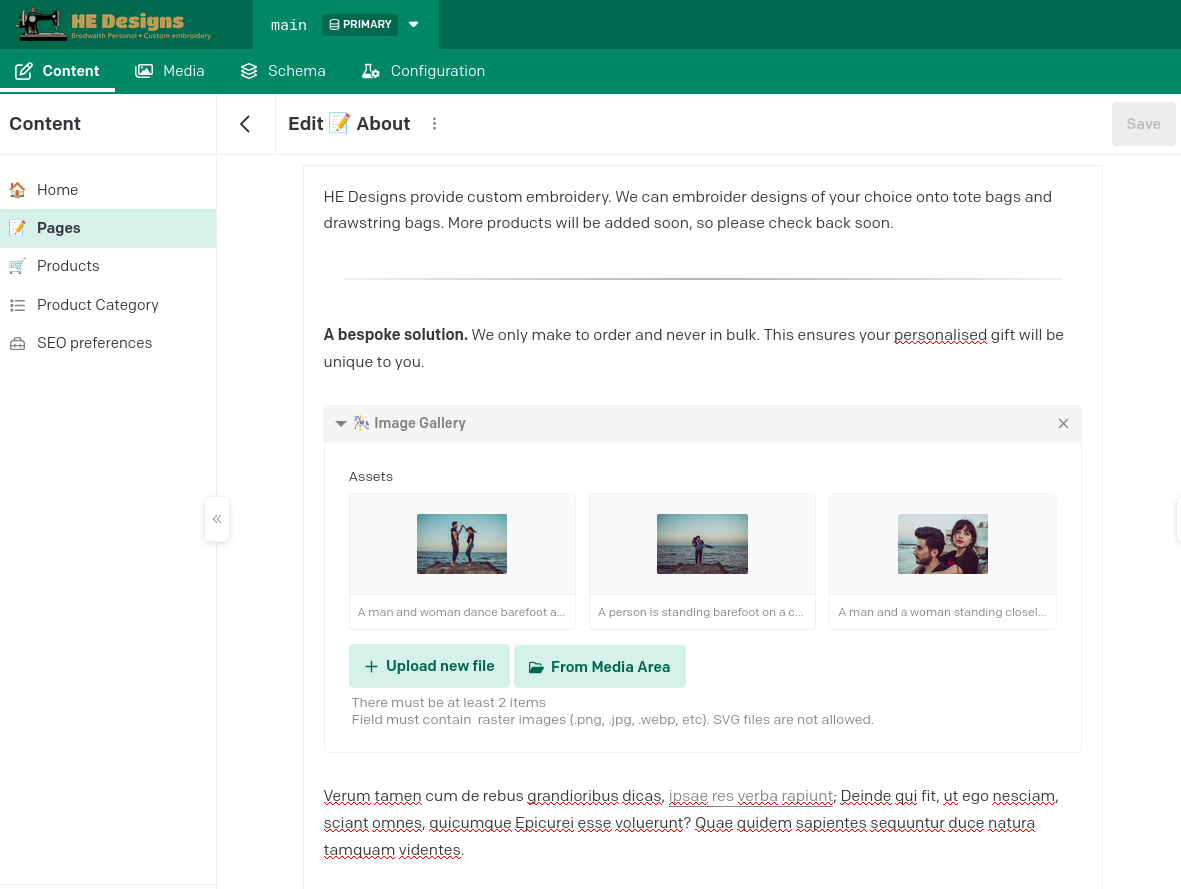
above: the DatoCMS editor interface
Our clients really love this interface. It’s designed well, works well and provides a great source for the content aspect of your website. And it’s backed by a reliable company and an excellent team who are invested in the product.
A Better Solution
In a lot of ways, this system is the evolution of the web.
We’re going back to the basics of how the web was to begin with, in the 1990’s. But we’re also adding the features that the modern world needs: a rich content editing experience for your websites.
Static sites, plus a separate CMS when needed, are a new dynamic. The experience is better, the costs are lower, and the effort business owners need to put into maintenance is zero.